The workspace includes three complete AdonisJS applications under examples/. Each app owns its routes, controllers, models, migrations, storefront, Inertia admin panel, configuration, and seed data. They are deployable product demos and integration references, not shared demo components.
The shipped configurations use IDR with exponent 0, session carts, flat-rate shipping,
and inline jobs. anyaman-cod selects the built-in COD driver; the other two select manual
payments. They do not configure a live shipping provider or payment gateway. Before using COD
in production, configure a durable queue dispatcher and the required maintenance schedule;
see operations.

Anyaman Rumah
Direct-to-consumer woven homeware with COD, Indonesian logistics operations, and a verified customer privacy center.
Browse source

Warung Panen
Perishable produce and pantry retail with local delivery, live inventory, and an operator-ready management panel.
Browse source
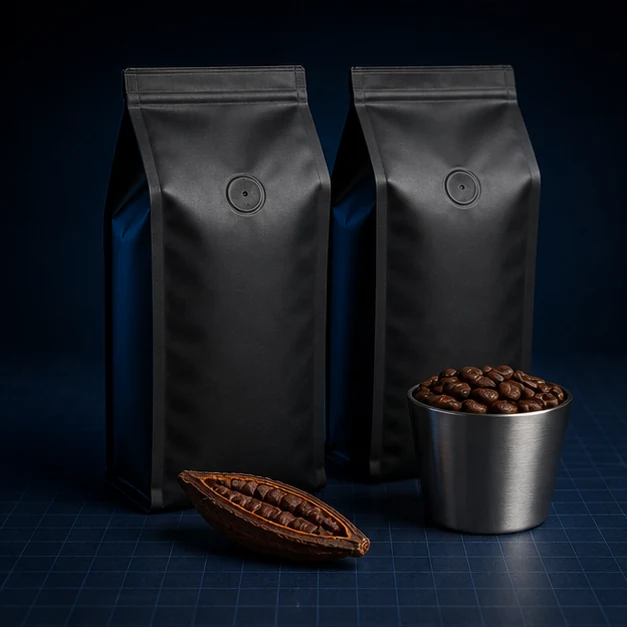
Grosir Kopi Nusa
Wholesale coffee ordering with case-oriented products, account workflows, tiered presentation, and fulfillment tooling.
Browse source
render.yaml enables automatic isolated pull-request preview environments for all three applications. Preview provisioning and lifecycle are managed by Render, not GitHub Actions.
Run an application
Install and build the runtime packages once, initialize the selected application’s environment, then migrate, seed, and start its development server:
pnpm install
pnpm --filter './packages/**' --if-present build
cp examples/anyaman-cod/.env.example examples/anyaman-cod/.env
pnpm --filter anyaman-cod exec node ace generate:key
mkdir -p examples/anyaman-cod/tmp
pnpm --filter anyaman-cod exec node ace migration:run
pnpm --filter anyaman-cod exec node ace db:seed
pnpm --filter anyaman-cod dev
Replace anyaman-cod with warung-panen or grosir-kopi in the paths and filter to run another store. The storefront is served at the URL printed by AdonisJS. The management panel is at /admin/commerce.
Container and Render deployment
examples/Dockerfile builds the workspace and deploys each application’s production-only dependencies into a separate runtime directory. The final Node.js 24 image runs as the non-root node user and contains the built applications, not the development dependency tree. Select the app with EXAMPLE; startup runs migrations and seeds before the server.
The root .dockerignore excludes .env and .env.* (except .env.example), databases, and generated build/test artifacts. Supply runtime secrets through the platform rather than copying local environment files into the image. Render’s APP_URL comes from each service’s RENDER_EXTERNAL_URL, so links and redirects use the external origin rather than the container bind address. The demo SQLite files live under /tmp; use a durable production database and the deployment sequence for a real store.
Provision an admin operator
The seed command creates or updates an operator only when both credentials are configured; supplying just one fails. Set these values in the selected application’s .env before running db:seed:
COMMERCE_ADMIN_EMAIL=operator@example.com
COMMERCE_ADMIN_PASSWORD=a-long-unique-password
COMMERCE_ADMIN_NAME=Commerce Admin
The password must contain at least 12 characters. The seeder is idempotent and grants the host application’s admin commerce role. Do not commit production credentials.
Validate the examples
Run the cross-application checks from the repository root:
pnpm examples:typecheck
pnpm examples:test
pnpm examples:build
examples:test boots every application and checks the registered storefront/admin contract routes, branded home route, and management dashboard. Its functional tests also create temporary SQLite databases, run the published migrations, repeat catalog seeding to check idempotency, and issue real HTTP requests to the home and product endpoints. These databases are cleaned up independently of the developer’s catalog. CI runs all three commands so package changes are checked against the examples.
Use them as references
Start from the example closest to the intended sales model, but copy decisions rather than the whole application. In particular, review:
config/commerce.tsfor drivers, currency, checkout, inventory, and model overrides.app/policies/commerce/main.tsandapp/models/user.tsfor persisted host-role authorization.database/migrations/for the exact published schema.database/seeders/for catalog and production-admin provisioning.app/controllers/andinertia/for storefront and management composition.
Generated commerce files remain host-owned. When package versions change, run node ace commerce:upgrade, review .commercekit/incoming, migrate, and run the three validation commands above.